Quinceañera photos
Quinceañera photo sharing with one QR code
Put a QR code on the tables and every guest – from her friends to her grandparents – uploads photos and videos straight from the phone browser. No app, no account. Everything lands in one album you can show live at the party and download afterwards.
- No app or account for guests
- Guest pages in Spanish and English
- Free to start
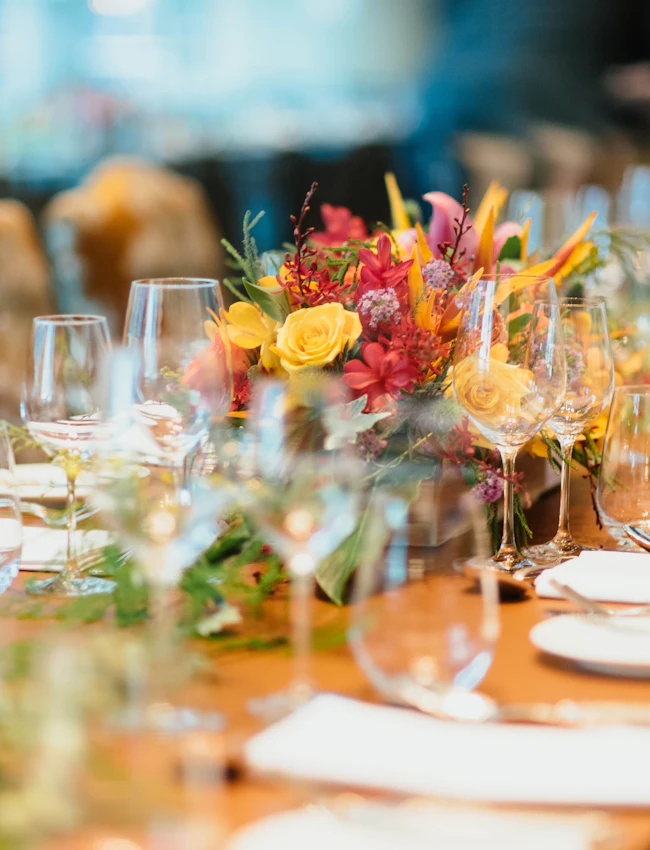
At a quinceañera, everyone takes photos: the Mass, the grand entrance, the waltz, the court, the party. Afterwards they’re scattered across WhatsApp chats, Instagram stories and a hundred camera rolls.
One QR code brings them together. Guests scan it, pick their photos and videos, and they appear in a shared album for the quinceañera and her family – in Spanish or English, depending on each guest’s phone, without installing anything.
Ready long before the waltz
Four steps and about ten minutes of preparation.
- 01
Create the album
Create a free event and choose “Quinceañera” as the occasion. Add the date and a welcome message for your guests.
- 02
Print the QR code
Download QR table cards or a poster as a PDF for the tables, the welcome sign and the gift table.
- 03
Guests upload, no app
Guests scan the code with the phone camera and upload in the browser – before, during and for a few days after the party. No app, no account.
- 04
Slideshow, then download
Show new photos live on a TV or projector during the party, and download all photos as a ZIP file afterwards.
9 quinceañera moments your guests can capture
The first seven come as suggestions with the “Quinceañera” occasion: pick the ones that fit your celebration in the album’s challenge settings, edit them or add your own. Guests see them on the upload page.
- 01
The waltz
The quinceañera’s waltz with her dad, her court or the whole family – the moment everyone wants a photo of.
- 02
Grand entrance
The moment she walks in, from every corner of the room.
- 03
Changing of the shoes
Flat shoes off, first heels on.
- 04
The last doll
The moment she receives her last doll, if it’s part of your celebration.
- 05
Damas & chambelanes
The whole court of honor in one photo.
- 06
The toast
Everyone raises a glass to the quinceañera – sparkling cider, punch or soda all count.
- 07
Three generations
The quinceañera with her parents and grandparents.
- 08
The cake
The cake before the first slice, with all its details.
- 09
Getting ready
Hair, dress and the last details before the Mass.

More than an album
Live slideshow
Show the album on a TV or projector during the party. New photos appear automatically as guests upload them.
Video guestbook
Guests record short video messages for the quinceañera, up to 60 seconds each. Only the hosts see them; watching them is part of the optional one-time unlock.
Photo booth
Turn a tablet or laptop into a photo booth with effects and frames. The shots go straight into the album.
Download everything
After the party, download all photos as a ZIP file – for a photo book, a slideshow at home or the family archive.
Six places so nobody misses the QR code
On the welcome sign at the entrance.
A QR table card on every table.
On the gift table or next to the guestbook.
In the family WhatsApp group: send the link before the party.
Ask the DJ or MC to announce it after the waltz.
Run the live slideshow on the screen: when guests see their photos appear, they share more.
Your quinceañera album in about a minute
Create the event, choose “Quinceañera” and print the QR table cards.
Quinceañera photo sharing: frequently asked questions
Do guests need an app to share quinceañera photos?
No. Guests scan the QR code with their phone camera and the album opens in the browser. They pick photos and videos from their camera roll or take new ones. Nothing to install, no account.
Can grandparents and older relatives use it?
Yes. If they can open the phone camera, they can scan the code. The page appears in Spanish or English depending on their phone, and they can switch the language at the top. Relatives who can’t come can join with the link.
How long are the photos kept?
The album is deleted automatically 30 days after the party. Before then, download all photos as a ZIP file – for a photo book, a slideshow at home or the family archive.
Who can see the photos?
Only people with the QR code or link. You decide whether guests see all photos or only their own, and you can delete any photo at any time, even during the slideshow. Video guestbook messages are only for the hosts. Photos are stored with Google Firebase in the USA.
What does it cost? Can guests help?
Creating the album is free and includes free photos. If your guests upload more, you, a family member or any guest can unlock unlimited photos for the whole party with an optional one-time payment. No subscription.
Can we show the photos live at the party?
Yes. Open the slideshow on a laptop connected to a TV or projector. New photos appear automatically, which reminds everyone to keep sharing.
Can guests upload videos?
Yes – videos of up to 60 seconds, made smaller automatically. Everyone can watch them once the album is unlocked.
Related guides


Every photo from her big day in one album
Free to start, ready in about a minute, and no app for anyone.
Free photos included; unlimited photos are an optional one-time unlock, no subscription.